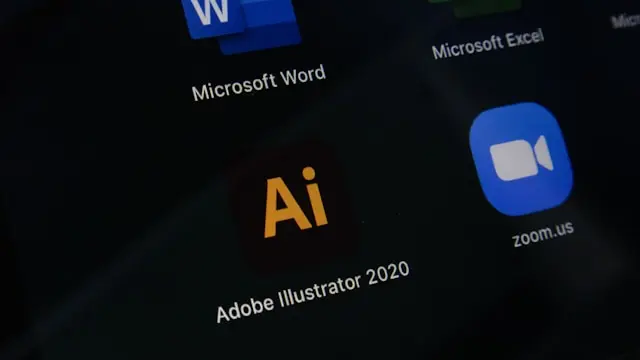
Software is the set of programs, instructions and data that let a device carry out specific tasks. It is the intangible part of a computer system, as opposed to the hardware (the physical part).
A quick example: Windows, a mobile app, Excel and your browser are all software. In this guide you will see the types of software, examples of software and how it works in practice, so you understand what software is and what it is for without jargon.
What is software for?
Software runs processes and handles tasks that, without it, would be slow, manual or impossible on a digital device.
- Automating tasks: from calculations to approval workflows.
- Managing information: customer data, inventory, documents and reports.
- Supporting business processes: sales, support, operations and finance.
- Improving productivity: less repetitive work and more time for tasks that add value.
Everyday examples: Excel for analysis, a CRM for customers and mobile apps for communication and field work.
Types of software (full classification)
The classification of software most used in training and business splits it into three large groups.
System software
Software that manages the device's resources (memory, disk, peripherals) and makes it possible for every other program to run.
System software examples: Windows, Linux, macOS, drivers, firmware.
Application software
Software the end user works with directly for a specific personal or professional task.
Application software examples: Microsoft Excel, Google Chrome, WhatsApp, CRM and ERP tools, and corporate email.
Programming software
Tools and languages used to create and maintain other programs.
Examples: Visual Studio Code, Python, Git, compilers, frameworks and testing environments.
Examples of software in real life
If you are looking for applied examples of software, this list sums up real cases:
- Business software: ERP and CRM for sales, purchasing, operations and reporting.
- Mobile apps: banking, messaging, logistics, e-commerce and digital health.
- Security software: antivirus, EDR, access control, encryption.
- Automation software: internal workflows, integrations and process bots.
In growing companies these are usually combined into a connected system that can scale.
How does software work?
Put simply:
- Code and instructions: a development team writes rules in a language (for example, TypeScript or Python).
- Running on hardware: the system interprets those instructions and uses the CPU, memory and disk to process them.
- Interaction with the user: you press buttons, enter data and get results on screen.
In short: software turns human needs into actions a machine can carry out.
Difference between software and hardware
| Software | Hardware |
|---|---|
| Intangible | Physical |
| Programs, rules and instructions | Components and devices |
| Updated with new versions | Replaced or extended with parts |
How software has evolved
- First stage: basic software focused on calculation and running the system.
- The spread of apps: office suites, browsers, cloud tools.
- Applied AI: assistants, predictive analysis and intelligent automation.
- Hyperautomation: connecting systems to cut repetitive work.
Today software is not just technical support: it is part of business strategy.
The role of software in companies today
Software drives digitalisation: it connects teams, removes operational friction and shortens response times. It also becomes a competitive advantage when it matches how the business actually works.
That is why more and more organisations combine custom software, automation and AI to operate with more control and speed.
Recommended links: how to digitize a company step by step, how to implement artificial intelligence in a company, how to know if you need to automate processes, when custom software is worth it, ERP vs custom software, process automation, AI for business.
When does a company need custom software?
Not every company needs it from day one, but it is usually worth considering when these signs appear:
- Repetitive manual processes that eat up critical time.
- Off-the-shelf tools that do not fit how the business really operates.
- Difficulty growing without doubling costs.
- No integration between the ERP, the CRM and other platforms.
when custom software is worth it · how much custom software costs · ERP vs custom software.
Awareness stage
Keep exploring with a practical guide
If you are still mapping the problem, we help you move from concepts to an actionable plan for your company.
Frequently asked questions about software
What is software in simple terms?
It is the digital part of a device: programs and instructions that tell it what to do.
How many types of software are there?
In practice, three: system software, application software, and programming software.
What is the difference between software and a program?
A program is a specific piece; software is the broader set that includes programs, libraries, and configurations.
What is business software?
It is software designed for business processes: sales, operations, customers, finance, or automation.